Start with Deixic
Preparing for your first audit? Connect your tools and Deixic will help you check what’s needed, fix gaps, and keep the evidence.
Start your first SOC 2Compliance and security agentsAvailable
Get an extra pair of hands for everyday security work and your next audit. Deixic helps with the fixes, checks the results, and keeps the evidence ready for your auditor.
Example workflow · Employee offboarding
When someone leaves, Deixic checks their access across your connected tools and helps remove it. Your team approves sensitive changes. If a system needs more time, we keep track of what’s left and check again.
Result The listed access is removed and verified. GitHub account deletion was not authorized.
07 Closed
| System | Desired | Observed |
|---|---|---|
| HR systemTerminated | Terminated | Terminated |
| Google WorkspaceSuspended | Suspended | Suspended |
| GitHubNot a member | Not a member | Not a member |
| AWS access keyInactive | Inactive | Inactive |
| AWS prod adminNot assigned | Not assigned | Not assigned |
Preparing for your first audit? Connect your tools and Deixic will help you check what’s needed, fix gaps, and keep the evidence.
Start your first SOC 2Keep the platform your team uses. Deixic helps you fix the issues it finds and sends the evidence back.
Connect your compliance platformAsk Deixic to help protect your main branch. It can also pick up issues found by your compliance platform and help you fix them.
| Stage | What Deixic does | On one branch protection job |
|---|---|---|
| Start | Ask Deixic for help, or let a change in your tools start the work. | Request: require reviews before code merges |
| Investigate | We check the current settings in the tools involved. | payments-api: 0 required reviewers |
| Plan | You can see the proposed changes and which ones need approval. | 2 changes: one change, one sensitive |
| Authorize | Deixic follows your rules and asks the person you choose before sensitive changes. | Change runs. Admin enforcement waits for Platform |
| Act | Deixic makes the changes you allow and records what it did. | Reviewers set to 1, admin enforcement on |
| Verify | We check the settings again to make sure the fix worked. | Read back: 1 reviewer, admins included. Test passing |
| Closed | You get the checked result and the evidence for your audit. | Receipt dx_01K7B4W2ZP8E3VQ6TJ9HN5RC1A |
Allow routine fixes under your rules. Choose who reviews sensitive changes in the app or Slack. Approvals and policy
| Class | Examples | Decision |
|---|---|---|
| Observe | Read branch rules in GitHub, list AWS access keys, read the termination date in the HR system | Runs |
| Change | Turn on required reviews, deactivate an unused access key, remove a departed user from a Google Workspace group | Runs within the policy you grant |
| Sensitive | Remove a production admin role, enforce rules on administrators, change an organization-wide sign-in policy | Waits for a named approver |
| Outside authority | Delete an account, set a policy only your company decides | Denied, or sent to you as a decision |
After changing the rules, Deixic checks GitHub again to make sure code requires a review before it can merge. See what’s recorded
dx_01K7B4W2ZP8E3VQ6TJ9HN5RC1A
Changes · 2
Read back · 3
The coding agent for the terminal, scripts, and CI. Install it and start in one command.
curl -fsSL https://raw.githubusercontent.com/dx-corp/code/main/scripts/install.sh | bash
Policy is checked before an action runs, and Dex goes ahead, stops, or sends it to a named approver. Approvals and policy
coding-agent · Platform
See which agents are running, who owns them, and month-to-date model spend by agent.
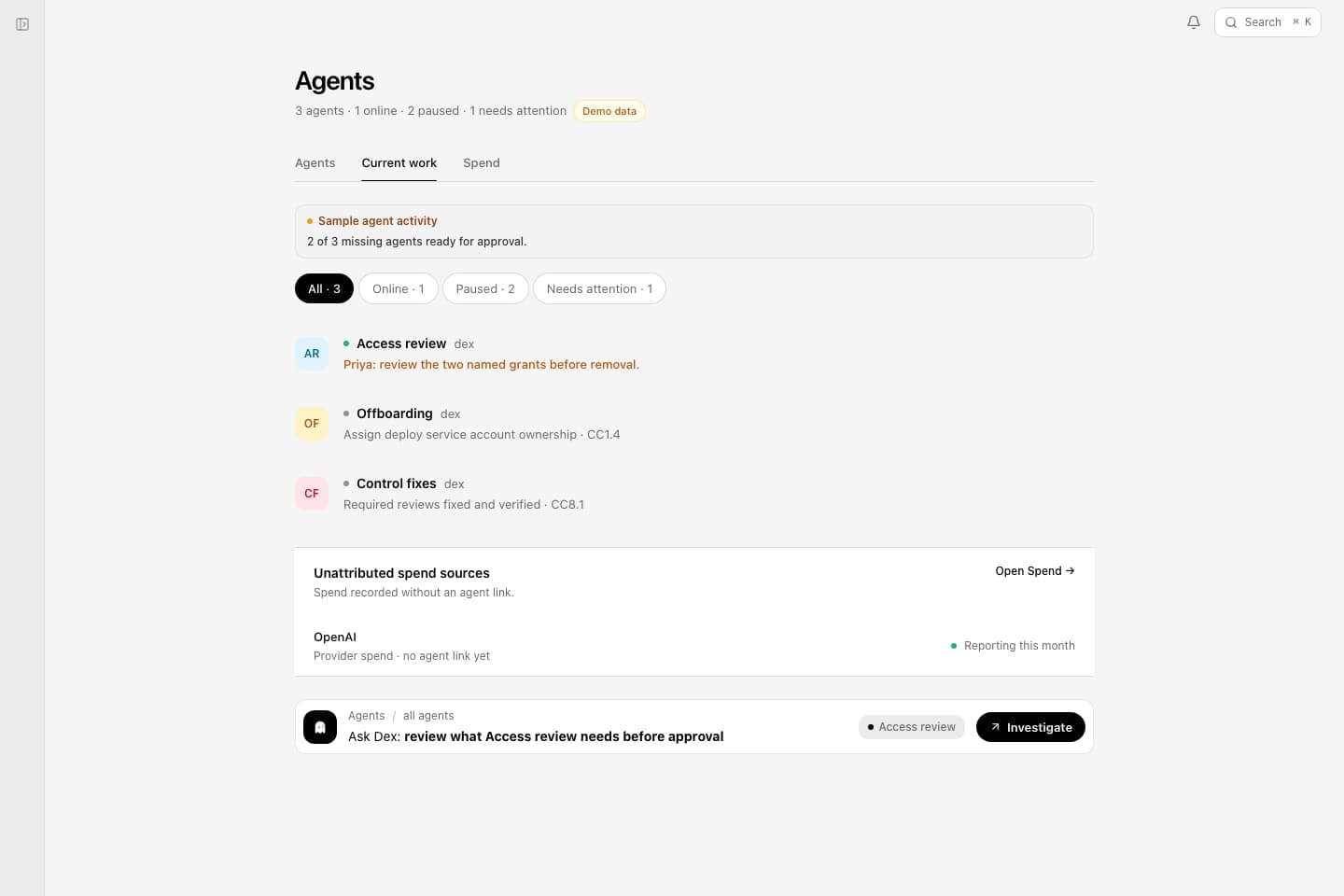
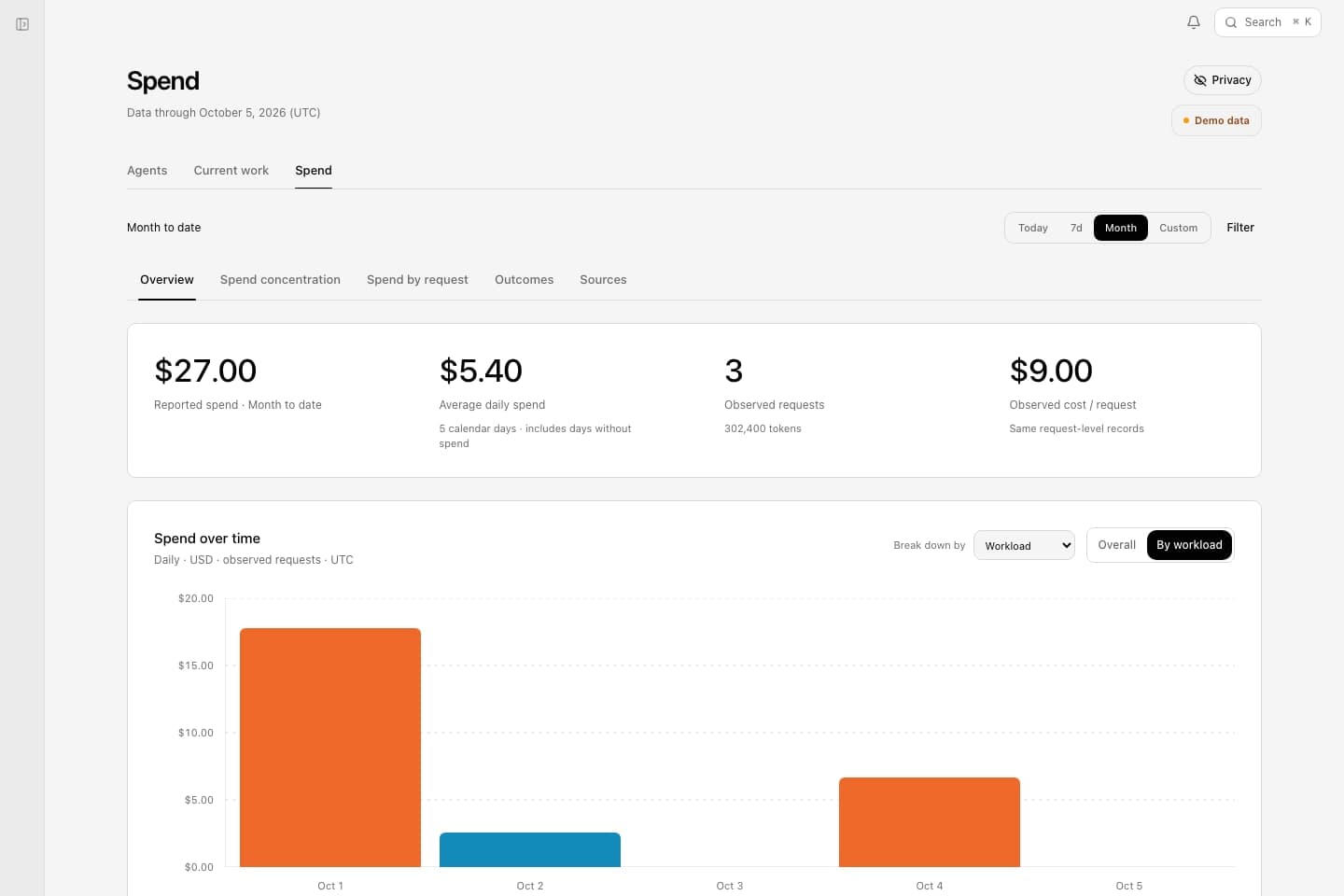
Compliance execution is the first objective. Dex and the agents you already use run on the same context and authority. Use your existing agent or meet Dex.
An agent prepares a brief, fixes code, or works in a connected system.
Company context and governed tools, with policy and named approvals deciding what proceeds.
Review against explicit criteria, and replay real sessions to test changed models, prompts, and skills.
Keep corrections as reviewed knowledge, procedures as skills, and decisions with their results.
Reuse the knowledge, procedures, and connections, and revise them when the work changes.
Your team decides what future work relies on. Skills and tests keep the method and its success criteria outside the model.
The company-owned layer
Deixic connects the CRM’s accounts and the repository’s code to agent work, its checks, and the rules for what happens next.

Each lookup respects the source system’s access rules.