How it works
Bring your agents in, then read them like a team
Four steps, in order of use. Screens below are the real app with a demo workspace.
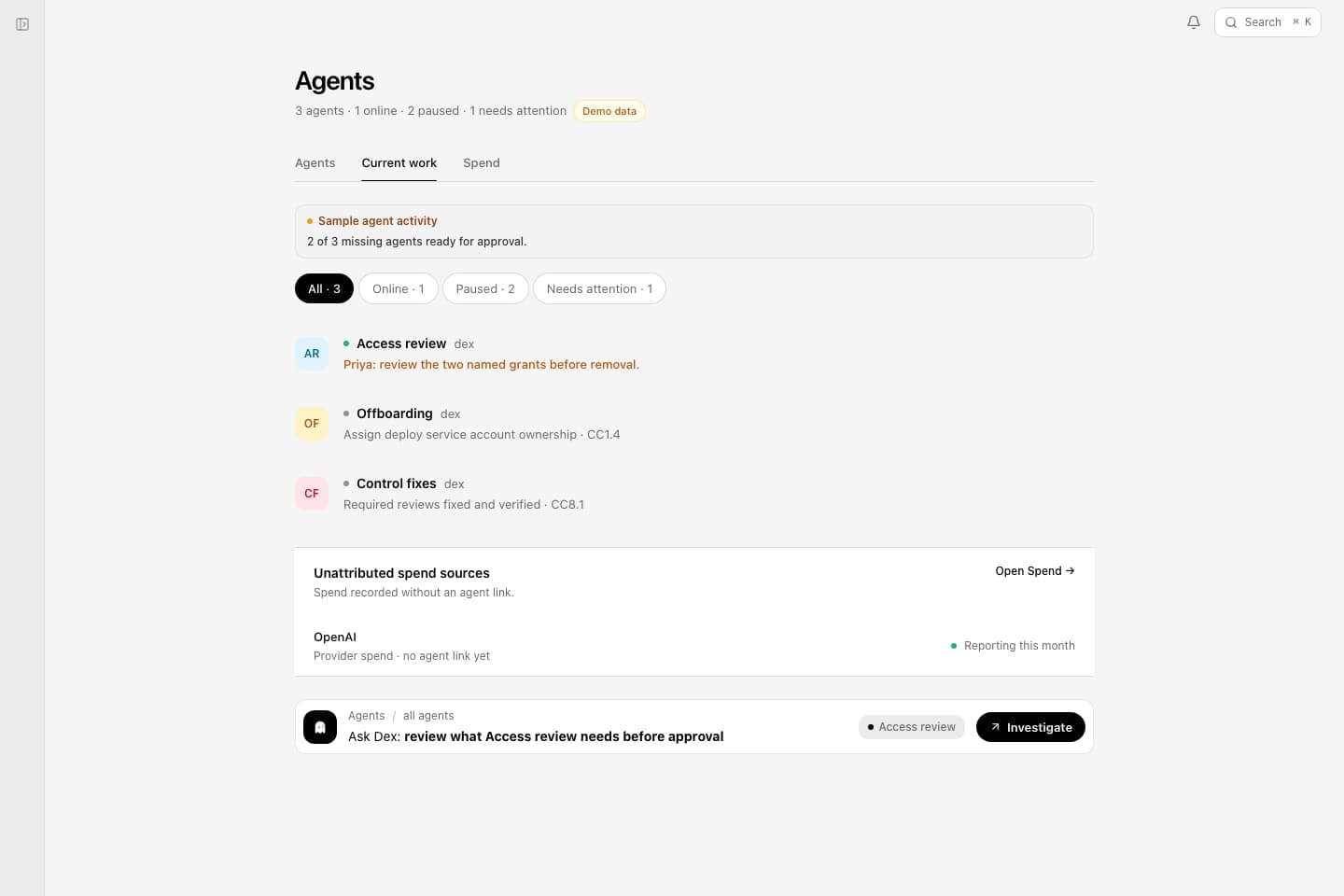
1Connect tools, register agents
Connect the systems your agents read during runs, and register each agent with an owner. Deixic tracks connection health, and an agent is not treated as ready for gated work until its required tools are in place.
Now answerable: which agents exist, who owns each one, and whether their connections are up.
Docs: Connect tools, Agent identity
Demo workspace
2Watch cost and status
Spend shows month-to-date dollars and tokens by agent, with a flagged gap for any run missing cost proof. Fleet shows who is online, paused, or waiting on a person — and lets you pause an agent that needs follow-up.
Now answerable: what the agents cost this month, and what each one is doing right now.
Docs: Pause an agent

3Put a gate on work that needs a person
Work classed as gated waits with its target and evidence until someone approves or denies it, and both outcomes land on the trail with the approver’s name.
Now answerable: who approved the risky step, on what evidence, and when.

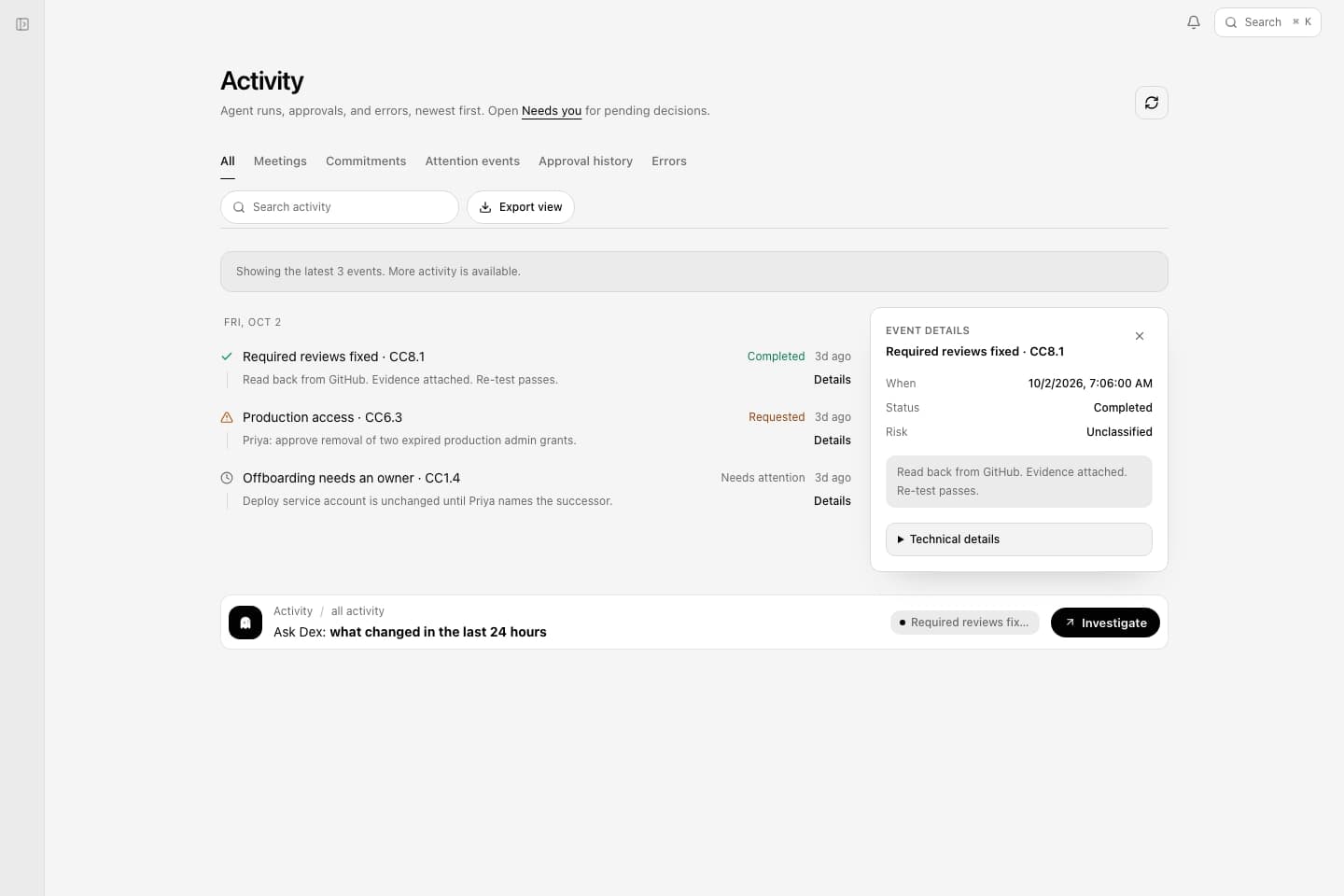
4Look back without an engineer
Activity keeps every run and decision Deixic sees; evidence records keep the proof behind each one. Dex answers from the same records in chat.
Now answerable: what ran last Tuesday, and what record backs it.
Docs: Evidence and activity
Demo workspace
Enterprise workflows
If production still depends on unwritten approvals (Slack threads, one owner’s memory), we can embed, document that path, and wire the gates so the app can enforce them. See Enterprise.
Run it on your agents
Early access is open — request access.